Job Search Automation Using AI With Custom Filters
Job searching takes a lot of energy, so I wanted to save some of my battery for the moment I actually find one!
2 min read

How Can I Make This Process Faster And Save My Energy?
| Context |
Searching for a full-time job is a full-time job itself! It takes not only a lot of time but also a great deal of energy.
Inspired by Tim van den Bosch and Kourosh Gharedaghi’s stories about AI-assisted automation, I decided to make my own job search faster by automating part of the process.
Turning What I Wanted Into Clear Criteria
| Define |
First, I wrote a scenario about my job search process. I thought about one day of my job search to review the process super fast:
I go through the three main websites for job search I use on a daily-basis.
I filter the job list base on what I want or think may fit me.
I had to read each job description to check whether the role was on-site or at least hybrid, as fully remote work isn’t for me.
If I description with requirements fit my expectations or my experience, I would add it to my Notion Job List.
I should add some specifications like status of the process to each job opening to be able to track the process and filter my list.
I write a cover letter and prepare a customized CV, then apply to the job opening.
I need to move this job to the applied list in order to apply for the remaining with less energy.
I noticed the criteria here: Acceptance Criteria are somehow understood.
Filters, Tags, Properties, Specific View, Progress
Great. Now, before going to the main prompt, I need to make sure that Claude is connected to Notion.

A New Need Came Up!
| Iteration |
I noticed a come-up need: I wanted to see the applied list, so I could follow the progress of my job application. This included a new view of data base with a filter of applied jobs:
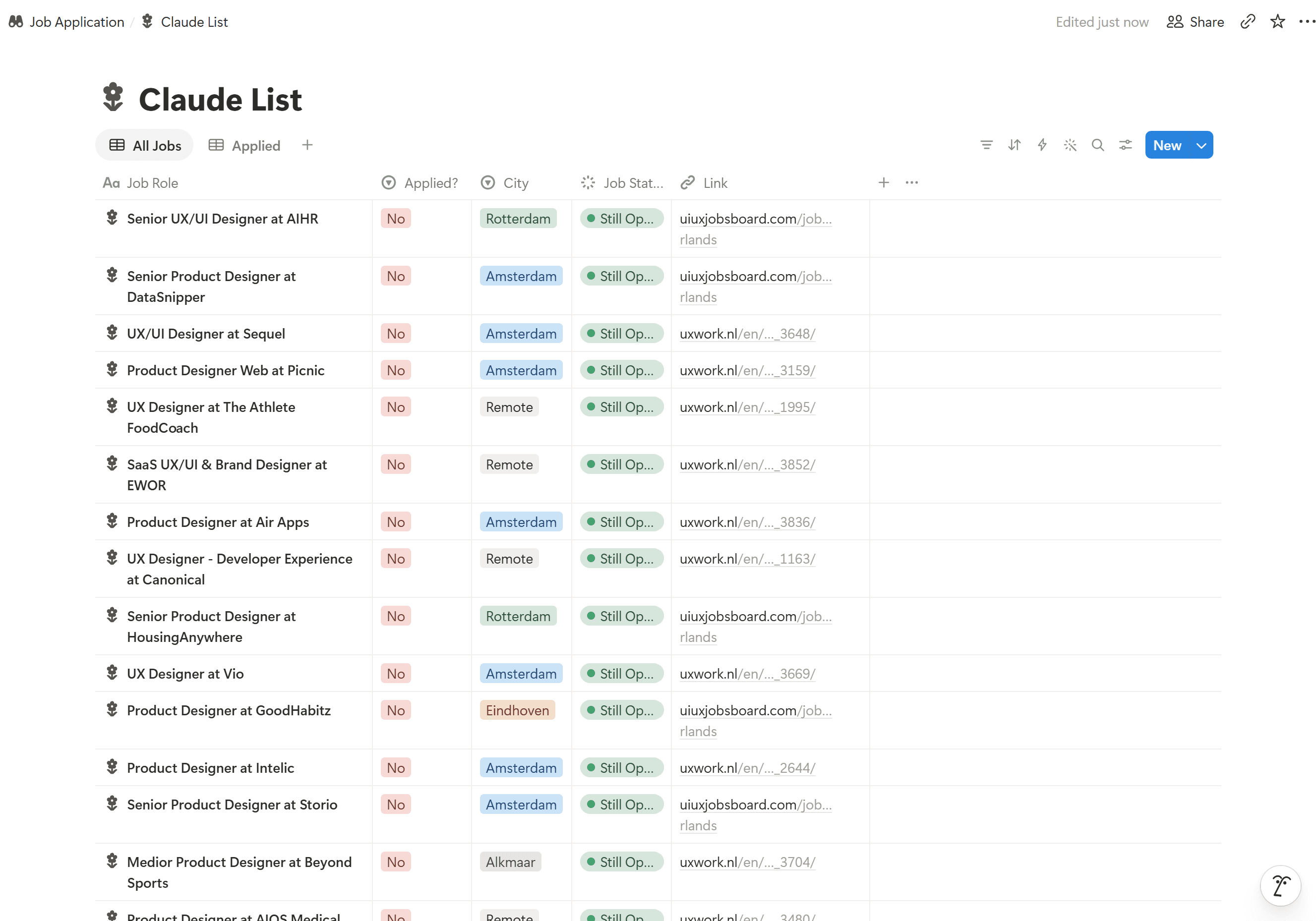
I Became the QA Tester for My Own Project
| Test & Iterate |
I tested the results and found that some job openings didn’t follow my template, especially the icon rules. I asked Claude to identify and fix the missing icons.

I Know I’ll Need to Keep Improving This Process
| Iteration |
As new needs come up, I’ll add more properties and refine the automation. For now, this is what I’ve built, but knowing myself, this table will probably change again soon.
Want to Contact?
I’d be happy to meet for a coffee or have a chat online.


